Our bulk upload feature can be a way for new users to contact all of their clients at once to request their consent.
PLEASE NOTE: This does not guarantee you access to your customer's home loan data. The consumer data right / open banking is a consent-based model meaning that it's the client's choice as to whether they grant your consent or not.
As such, we recommend requests consents individually so they are anticipating it meaning you are more likely to have it granted.
However, brokers have asked for this feature and we take on board what our brokers want!
Step 1
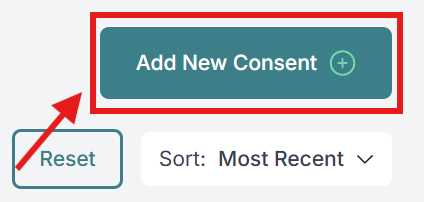
Click on the "Add New Consent"
Step 2
Click on "Batch Upload"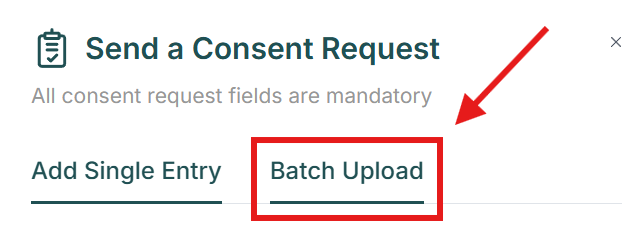
Step 3 - IMPORTANT!!!
Before you upload any spreadsheets, please ensure that you use our template CSV file.
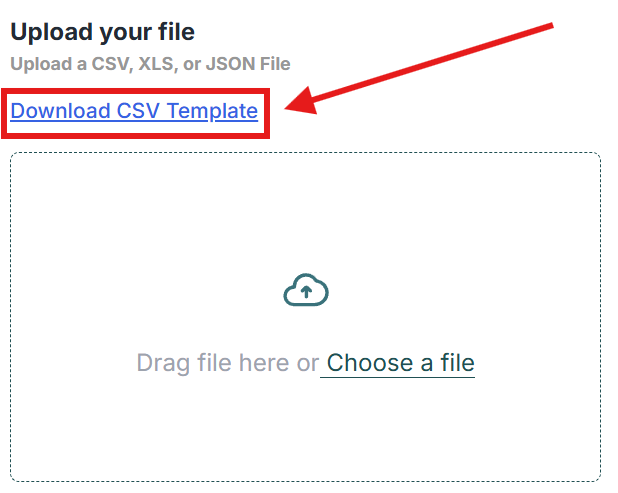
If you do not use our template file, your upload may not work!
Step 4
Drag your CSV file or click "Chose a file" and upload your contacts.
Step 5
Hit "Send Consents".
Done!
All the clients that were successfully uploaded to your database will receive a consent request via text and via email.
Was this article helpful?
That’s Great!
Thank you for your feedback
Sorry! We couldn't be helpful
Thank you for your feedback
Feedback sent
We appreciate your effort and will try to fix the article